Veo Camera
4.7 ★
Avg Rating
Veo Camera is an AI-powered sports analysis app that connects to Veo cameras to automatically track ball movement and key game events, eliminating the need for a dedicated cameraman. It enables users to record, livestream, and analyze games with instant playback, highlighting tools, and detailed analytics.
3.2
Popularity
1,536
Reviews
1
Storefronts
US
Markets Present
About — Storefront Description
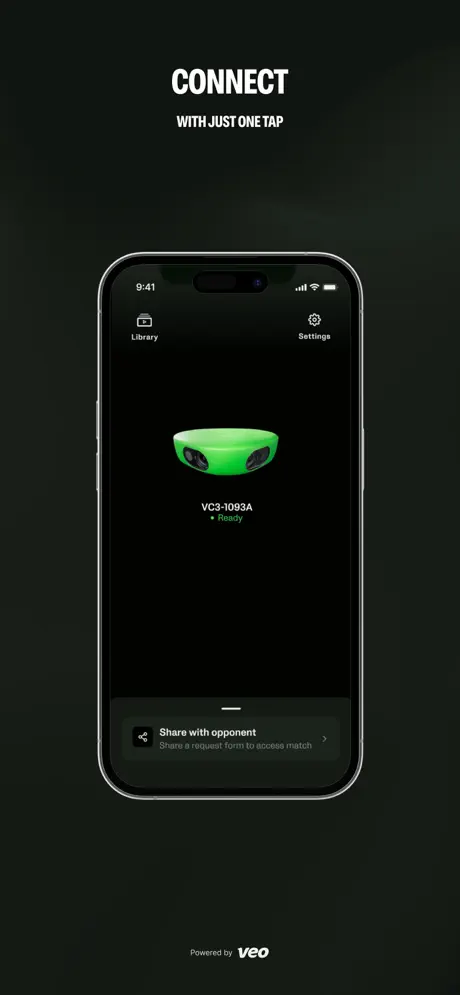
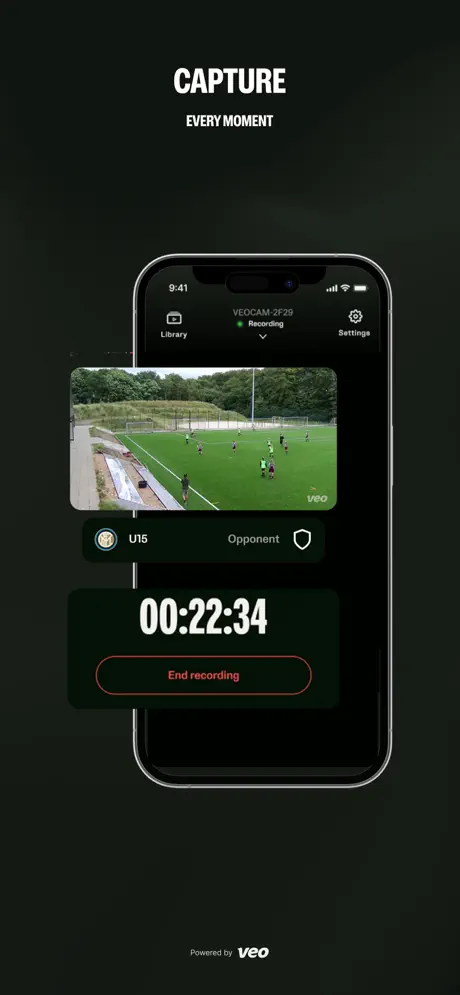
The Veo Camera App provides easy connectivity to your Veo Camera 1, 2 & 3, giving you full control with intuitive navigation to start and stop recording or livestreaming. Manage and view your recordings with instant playback, and stay informed of your camera status and health metrics.
Veo is an AI-powered sports analysis tool that captures your game with ease. Our AI automatically tracks the ball and detects key events during play, so you no longer need a cameraman and can quickly analyze your game.
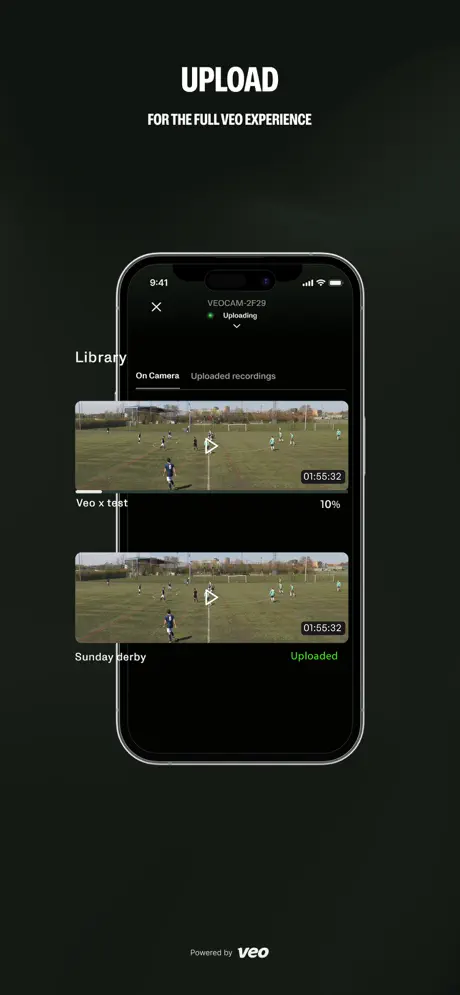
After uploading your recording to the Veo platform, you receive a full breakdown of the game. Edit, draw, clip, and share highlights with players and fans. Access detailed analytics including possession data, heat maps, and more statistics.
Key features include:
- Easy first-time setup guide
- Two-tap recording start
- Livestream to Veo Live and external streaming destinations
- Manage and assign your recordings
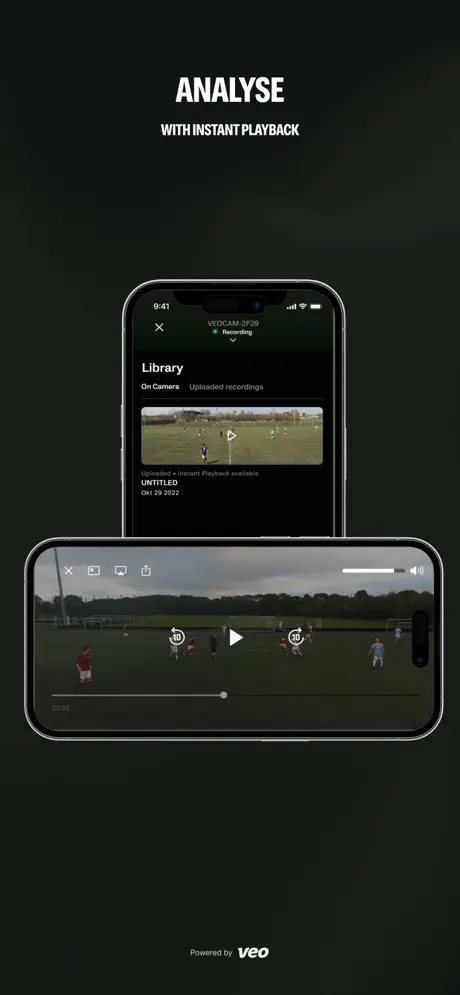
- Analyze your game at halftime or immediately after with instant playback
- Add bookmarks while recording or livestreaming for in-game analysis
- And much more to come
Show original (us)
The Veo Camera App provides easy connectivity to your Veo Camera 1, 2 & 3. Giving you full control, with intuitive navigation, to start and stop your recording or livestream. Manage and view your recordings with instant playback. Stay informed of your camera status and camera health metrics.
Veo is an AI powered sport analysis tool, allowing you to capture your game with ease. Our AI automatically tracks the ball and detects key events during the game. So you no longer need a camera man and can quickly and effectively analyze your game.
After uploading the recording to the Veo platform, you will receive a full breakdown of the game. With the ability to edit, draw, clip and share highlights with players and fans. With analytics you can see possession, heat maps and more statistics. Get started today!
The Veo Camera app features:
- Easy first time setup guide
- Two tap recording start
- Livestream to Veo Live and external streaming destinations
- Manage and assign your recordings
- Analyze your game at halftime or directly after with instant playback
- Add bookmarks while recording or live streaming and analyse along with the game.
- And much more to come….
What's New
We are constantly trying to update and make the app better. This version includes small improvements and bug fixes.
Screenshots


Features
| Feature | Sentiment | Cited | Source | Evidence |
|---|---|---|---|---|
| camera connection | Negative -0.85 | 12 | review | “The app refuses to connect properly to the camera. I either get an error message or the camera will stop recording after a minute or two.” |
| app stability | Negative -0.80 | 9 | review | “3.3.0 not properly tested, as with 3.2.9 and 3.2.10 Release notes are fantasy.” |
| customer support | Negative -0.90 | 7 | review | “Support is a joke on phone for an hour, chat webpage closes ticket saying the problem had been solved before ever connecting me to an agent” |
| video upload | Negative -0.75 | 5 | review | “Still baffels me as to why the veo cam has to upload previous recordings while live streaming a game.” |
| hardware reliability | Negative -0.75 | 5 | review | “VEO2 Camera brand new only worked twice. I followed all troubleshooting guides, firmware updated, app on iPhone 13 Pro updates.” |
| recording management | Negative -0.80 | 4 | description | “You can no longer view your recordings on the app….. very disappointing that this hasn't been fixed.” |
| video recording control | Negative -0.75 | 4 | description | “VEO2 Camera brand new only worked twice. I followed all troubleshooting guides, firmware updated, app on iPhone 13 Pro updates. Continues to either not record or stops recording randomly after a few seconds” |
| instant playback | Negative -0.60 | 4 | description | “When trying to navigate a video of my son's soccer club, none of the controls worked, I couldn't fast forward, or go to a specific highlight.” |
| live streaming | Negative -0.67 | 3 | description | “We upgraded to the model 2 to get the live streaming function, and now we have to use the app. It takes 20 minutes to get the app to connect successfully, livestreams will never s” |
| video quality | Positive 0.60 | 3 | review | “We received our new Veo 3 camera a few weeks ago and could not more pleased with the hardware, setup, onboarding and support process.” |
| team connectivity | Negative -0.50 | 2 | review | “I can't connect with my kids team.” |
| mobile app usability | Negative -0.50 | 2 | review | “For players this app is I where near worth it. You might as well go to the website because it just takes you there.” |
| airplay support | Negative -1.00 | 1 | review | “Unable to watch my son's soccer game via airplay to my Apple TV. Looks like this function stopped working.” |
| game analytics | Negative -0.80 | 1 | description | “Data tracking shouldn't even exist for possession or passing related data points it says it takes. I've fact checked by manually tracking possession and passing string stats and it misses several moments of the game.” |
| wifi network management | Negative -0.50 | 1 | review | “For veo 2 camera, When you're the only WiFi network it works great for streaming set-up if not you're out of luck. App needs to allow you to forget other networks or set a preferred network” |
| player selection interface | Positive 0.50 | 1 | review | “Is there a way to get a sort of update that allows grouping when choosing players. When you have a team of 33 it would be very helpful to be able to click "defenders" that has 12 girls in it” |
| live scoring | — | — | description | Add bookmarks while recording or live streaming and analyse along with the game |
| ai ball tracking | — | — | description | Our AI automatically tracks the ball and detects key events during the game |
| video editing and clipping | — | — | description | With the ability to edit, draw, clip and share highlights with players and fans |
| photo video sharing | — | — | description | clip and share highlights with players and fans |
| camera health monitoring | — | — | description | Stay informed of your camera status and camera health metrics |
Review Highlights
Not functional for parents
I can’t connect with my kids team. Boo
Camera and Support Top!
We received our new Veo 3 camera a few weeks ago and could not more pleased with the hardware, setup, onboarding and support process.
The Veo app is stable and works as advertised!
AirPlay not working on Veo
Unable to watch my son’s soccer game via airplay to my Apple TV. Looks like this function stopped working.
Need to be able to pause uploads.
Still baffels me as to why the veo cam has to upload previous recordings while live streaming a game. Just a basic feature request that keeps being ignored.
Update: latest release does not fix APN settings problem
3.3.0 not properly tested, as with 3.2.9 and 3.2.10
Release notes are fantasy. 3.2.10 claims to have improved submit requests or feedback, but it removed the functionality altogether. Previously, taking a screenshot would bring up the dialogue, now it doesn't. 3.3.0 did fix preview, but Instant playback is full screen in portrait mode, which is weird, and in landscape it is larger than the phone screen and the on-screen controls and icons drift side to side. It also overlays a second Veo logo. There is an APN settings are but it doesn't do anything. It just shows Default and tapping on it just causes it to flash, and no part of the APN settings allows changes. 3.2.9 broke preview and instant playback. 3.2.10 didn't fix them. See bug report and support request. Preview starts fine but when you open fullscreen mode, instead of switching to landscape, it immediately switches to portrait with a squeezed and distorted image and it does not change if the phone is rotated. For instant playback, it used to immediately switch to landscape now it opens in portrait orientation and does not change as the phone is rotated. Please test all app features before releasing.
Customer service is terrible!
Waited on the phone on hold for an hour just to be asked to leave a message. Trying to get our camera connected we have a clubhouse. We have a camera. The app tells us that we cannot connect that camera to the clubhouse. Tried calling to talk to somebody, they made you think that you were going to talk to someone by saying you are CALLER number 19 you are calling her number five. You are call her number two as soon as you are the person to talk to they send you to voicemail.
Great camera, horrible company
The camera, software, analytics, ability to make and share highlights are all awesome when they work. Their costumer service is horrible. It took a week or so to get my first camera to work. That camera fell in the wind and broke and I had to pay (a lot) to have it replaced. The camera I got did not work after a software update. I spend 2 months trying to get veo to help me fix the issue. They gave me the same trouble shooting steps over and over for 2 months. I missed probably 30 games over that time while parents kept questioning me while they were paying for a subscription for a camera that doesn’t work. I didn’t realize until recently that veo charged me 2x for my subscription and I let them know last week and it has not been fixed. My subscription was also not prorated for the time I missed while my camera did not work. It worked well for the rest of the soccer season. Then in June I contacted VEO because my account was listed as a “team plan” but I paid for a more expensive “club plan” to accommodate all of my teams. In July of this year I got a message that my subscription had auto renewed, and I paid for it. But at the same time my account says I will be charged again on August 18th. I only have one account and one camera. The subscription worked for a few days then stopped. When I check my account it says I was billed 2x for my subscription but only one charge has shown up on my credit card thankfully. I contacted veo again on Sunday because despite the bill saying I paid for 2 club subscriptions, I am locked out for having 0. I called twice and was dismissed, saying they will get to it when they get to it. I am again in a place where the parents of the players on my team are complaining about paying thousands of dollars for technology that doesn’t work. Most IT would have an issue fixed immediately especially something like a wrong subscription or a double charge. VEO needs to get their stuff together or I will buy a trade and will recommend trace to my club and opponents.
Camera doesn’t connect through app
Support is a joke on phone for an hour, chat webpage closes ticket saying the problem had been solved before ever connecting me to an agent
Useless
Absolutely does not work. At all. Same for Android. We’re looking at league fines because we relied on this garbage to record our matches. Don’t waste your time or money.
App isn’t worth it
For players this app is I where near worth it. You might as well go to the website because it just takes you there. Please make it accessible to watch games in the app.
Customer Service Lacking
Camera and software works okay when the camera actually operates correctly. Data tracking shouldn't even exist for possession or passing related data points it says it takes. I've fact checked by manually tracking possession and passing string stats and it misses several moments of the game.
One of our cameras overheats and doesn't even record. It will be fully charged, in off mode (no lights on whatsoever), only for me to return 5.5 hours later to the battery down to 53% and camera temp at 178 degrees. Have been trying to resolve the issue since April with no solution yet. Was told it was a firmware issue and the camera needed to be updated - that didn't fix it. Was instructed to run several diagnostic tests that take a mimumum 16 hours to complete, and no follow up on resolution.
It should not be this difficult for the company to realize the camera is faulty and should be replaced.
VEO2 Brand new only worked twice. Customer Service is terrible.
VEO2 Camera brand new only worked twice. I followed all troubleshooting guides, firmware updated, app on iPhone 13 Pro updates. Continues to either not record or stops recording randomly after a few seconds, a few minutes, etc. now your customer service expects me to film a video of what it is doing wrong when it obviously needs to be sent back and repaired. Very upset and not a good first use experience. I was going to buy this first one then invest in several veo2s for my business but with the lack of customer service and the poor performance I don’t think it’s worth it at all.
Iffy
For veo 2 camera, When you’re the only WiFi network it works great for streaming set-up if not you’re out of luck. App needs to allow you to forget other networks or set a preferred network
App Connection Issues
Like others, have been unable to enable preview or start a recording for the last 3 weeks.
Support is essentially non existent and asks to update the app/firmware repeatedly. Incredibly disappointing support/service and frankly not worth the money or hassle.
App or camera not processing command to record
Another season of a non-working 6 month old camera. Season one it did not work, now season 2 I got one recording in, bad firmware update and app update that no longer allows the camera to record
Recent updates ruined usability
The app refuses to connect properly to the camera. I either get an error message or the camera will stop recording after a minute or two. Been waiting to hear back from their customer support.
Camera connection drops after update
New update has broken the Veo 2 cam connection. Missed two games now.
New update is Frustrating!
The new update is very frustrating. It’s always been difficult at best to connect to the camera, but yesterday I missed the start of our game because they had come out with a new app refresh and I couldn’t connect at all. Then the record button wouldn’t work. I had to to get in and out of the app 5 times and multiple times of “pushing” the record button before it finally started.
Clean version
Newest version wouldn’t connect to the internet at first, but after restarting both camera and app it’s running smoothly.
Horrible Update
Dont require Bluetooth to use the app when most of the time I am not connecting to a camera. No reason to make videos huge where only 3 appear on a list when I want to scroll through to find a particular game.
Connection problems
Sometimes It won’t connect to my phone and I have to turn of the camera and turn back on, turn off the wifi and turn it back on and really play with it until it decides it wants to let me connect to it…. It’s a pain sometimes
Was great for me until now
App worked great for me. Usually had to try to connect twice. Always worked by second time.
Now it is 5-6 times if I can ever get it connected. Really bad. Not sure if software or the app. But just terrible now.
Worked well for 2 weeks but now it can’t connect
It worked well for two weeks and we were so excited about the quality of the video and results. Tried using it for a tournament when I went to upload the games that night I could not connect the camera to the app and the recordings would not upload. I contacted their customer service support. We ran through several troubleshooting suggestions, but nothing seem to work. I spent hours on the phone with them, and then told that they would put me in touch with their engineers, but with the time difference, I have not I have not been able to connect with them. We have state cup games starting this weekend but no camera.
Doesn’t let me skip the time
Doesn’t let me skip the time of the video
Horrible customer service
I purchased my veo2 camera 9-19-22 with every accessory they sell plus the enterprise subscription and the camera hasn’t worked from day one . Connection issues where it takes 10 tries to connect then stops recording mid game , won’t always upload video , the camera won’t show the IMEI# which you have to have to get a SIM card for live stream. I contacted Veo the day I set it up and they said do all the different things and it will work but nothing worked . Then they “it’s a known problem and we have an update that will fix it “ When that didn’t work they stopped repot my emails. So I hope this helps someone before you drop $4,300+
Update: wow your response is beyond comprehensive. I have updated or checked for and update every time I emailed you
Awful
Combination of this app and the Veo2 camera are awful. With The model 1, at least we could connect to the web interface. We upgraded to the model 2 to get the live streaming function, and now we have to use the app. It takes 20 minutes to get the app to connect successfully, livestreams will never start, and recordings just randomly stop halfway through a game. at this point, the coach is calling it junk and we are contemplating a return.
App was terrible
When trying to navigate a video of my son’s soccer club, none of the controls worked, I couldn’t fast forward, or go to a specific highlight. And any time I tried to go forward, the video would start over. 🙄
Veo Seems to be going Downhill
We used veo in the spring and it was great. This fall every 2nd or 3rd recording gets stuck in processing. Customer support has consistently been bad sometimes being stuck on hold for up to ah hour. I open tickets online and it’s days before anyone responds if they ever do. Hoping it’s just me but seeing a big decline in recordings and customer support with veo?
Software is poor hardware is worse
VEO’s software is very minimal. It is constantly losing connection with the camera and seems more like it’s in beta then a production level software. The hardware is even worse. The cameras are extremely glitchy, poor sound, terrible tracking and constantly break. For what you pay for veo I would suggest avoiding this platform at all cost.
Absolutely horrible customer support
If you have a problem with uploaded video, which happens very often, this company has no customer support.
Solid Performance
I just concluded a season of high school lacrosse video with the Veo system. Overall, very solid. I recorded about 20 games and the system didn’t fail. I used an iPad and it worked all season without issue. I only encountered two problems. 1) one game failed to upload properly. After 10 hours of waiting for the upload to complete, I reset the camera and it uploaded properly on the next attempt. 2) for a couple games, the camera took about 5 minutes to transmit a signal to the iPad. It eventually showed up and recorded properly. From a comprehensive system perspective, I rate this as 4 star not because of the app specifically, but because the end product after AI processing could be better. Following the ball worked great, but the zoom could use improvement. The system tends to provide more of a wide view. It would be great to allow a user setting to modifying zoom options. A bit more zoom would have been ideal.
One other item that is likely not the app’s fault but that users should be aware- we found that devices which had a VPN installed would not connect to the camera. I work for a tech company that has a required VPN deployed on employee iPhones. None of us with that VPN could connect to the camera. The iPad didn’t have the required VPN settings, and it worked fine. I mention this for others who are not able to connect to the camera- see if you have a VPN installed that may be preventing your connection. Overall, great system.
Still Crashing
When it works, it is a great app. But it is still crashing and it will still not connect.
Camera is good, app is not
App does not connect to camera at all, must use website to connect.
App doesn’t work
You can no longer view your recordings on the app….. very disappointing that this hasn’t been fixed.
App doesn’t work.
Camera won’t connect. I already recorded and uploaded 5 matches and none will show in the recording tab.
Where is customer support?!
Veo the camera is a very slick piece of engineering, and the recording results are impressive, but it feels like Veo the company is struggling to keep up, perhaps after launching their new Veo 2 camera.
I have had multiple hiccups in setting up my Veo 1 camera, including some account setup issues likely related to already having an account connected to a friend’s camera, as well as one entirely lost game (recorded, but corrupted in the upload and no longer on the camera).
These may be fixable problems, but customer service has been very slow to respond, and the asynchronous, text-based system of support is limited.
Hoping that my experience (and review) will improve, but somewhat disappointed so far.
Great but….
I am rating Veo 5* because it is truly fantastic (when not trying to connect through this app)
The app doesn’t connect for me and instead gives me a black screen with a small loading circle that never goes away. Once the app is fixed and connects to the camera immediately and reliably, I’ll be completely happy. There are other ways to connect, but I really wish the app worked.
I’m wondering if there’s an update soon to fix this????
Anyway! Keep up the great work Veo. The customer service is brilliant and the software is exceptional. Please however, fix the app connectivity issue :)
“Choose players” grouping
Is there a way to get a sort of update that allows grouping when choosing players. When you have a team of 33 it would be very helpful to be able to click “defenders” that has 12 girls in it rather than having to select everyone whenever trying to highlight a moment.
Need a version for iPad
Watch on phone, the screen is too small. Can you make an iPad version for better view? That will be great if we can review or watch on iPad .
Nice but very frustrating
I had previously used a friend’s camera to record a few games. It was simple and loved the ability to watch back. Decided to buy my own. Now I get black screens, difficult times connecting to the camera, and games that get stuck in processing (not uploading). Now I am more frustrated than happy. Since customer service is located across seas or different time zones it is very difficult to get the help needed. Was hoping to love my purchase - but now having seconds thoughts.
App doesn’t work
New customer. I ordered two cameras. Both work just fine using a web browser. Connecting through the app is a nightmare. Eventually after many many tries I was able to on one. Never could establish a connection on the second camera. When I went back to the first camera that had success it failed to work again. Very frustrating.
Cannot Connect camera to app
I can connect to camera via web browser easily. The app I have yet to be able to connect with. It sees the camera, just won’t let me connect to it. I have tried it on an IPhone and a Android based phone with same results.
Black screen on device
The camera synced no problems last weekend go to use it today and my phone is just black, no picture from the camera. I tried it on 3 phones with the same issue???
You can’t even make an account
There is no way to make an account. They should have a system where you search for the teams and the age group and you see the recordings from there
Keyboard non responsive
When I complete a recording a d stop to save, my keyboard becomes non responsive. I’m sure just a glitch but it’s happened last 3 times I’ve recorded.
No longer connects to recent iPhone update
We use it for streaming games, but is now useless for weeks. No longer connects to iPhone hotspots. Taking waaayyyy tooooo looonnngg to fix the known issue!